martes, 5 de febrero de 2013

Holo Launcher Plus v2.0.2 APK


Simple, powerful, fast and highly customizable home replacement


Holo Launcher Plus play.google.com.hololauncherplus
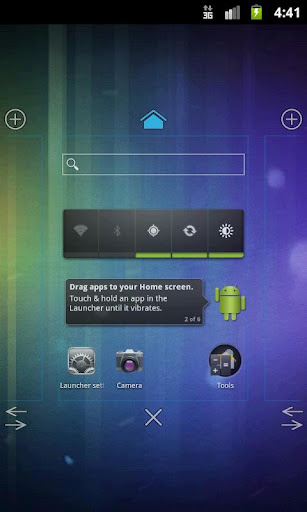
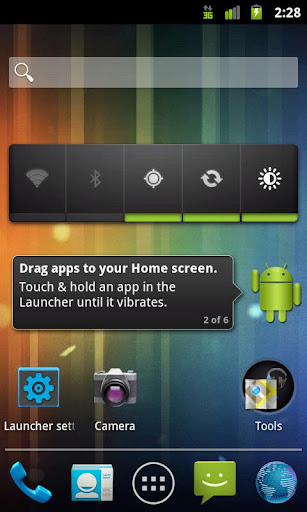
Simple, powerful, fast and highly customizable home replacement, based on Android 4.0.4 ICS Launcher.
Not like Apex Launcher or Nova Launcher, Holo Launcher can run on Froyo, Gingerbread, ICS and Jelly Bean.

Features:
  • Full ICS Style: ICS Icons, Folders, Outlines, Drawer Tabs, etc.
  • Custom Desktop Pages/Grid: Up to 9 desktop pages and 10 x 10 grid.
  • Custom Drawer Portrait/landscape Grid
  • Scrollable Dock: Up to 7 icons per page and up to 3 pages.
  • Infinite Scrolling
  • Gestures: Swipe up/down on desktop to launch apps quickly.
  • Customizable shortcut/folder icons, support ADW icon pack.
  • Desktop Previews: Pinch to access desktop previews.
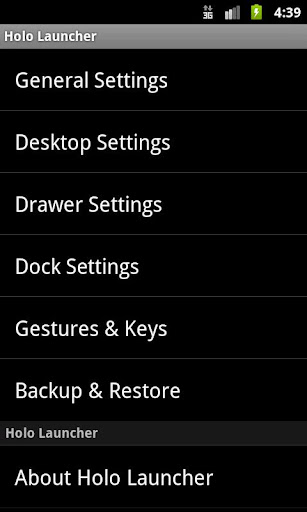
  • Backup and Restore: Backup and restore your settings and shortcuts.
  • Other Customization Options: Keep in memory, home key action, hide apps in drawer, hide labels, etc.
Plus Features:
  • Multiple configurable drawer tabs
  • Unread count notifications for call, sms and gmail
  • More desktop gestures: Pinch in/out, Two Finger Swipe and Double-tap
  • Dock icon Swipe up/down gestures
  • More transition effects
  • Widgets overlapping
  • 1x1 widgets in dock
  • Other enhancement and customization options.
What's in this version : (Updated : Feb 4, 2013)
  • New option: Hide crosshairs when drag
  • Improved dock icon gesture (plus)
  • Bug fixes
  • Translations
Required Android O/S : 2.2+

Screenshots :


Download : 670Kb APK

Volume Ace v3.0.0 APK


Your device volume settings at finger tip!


Volume Ace play.google.com.volumeace
Your device volume settings at finger tip.
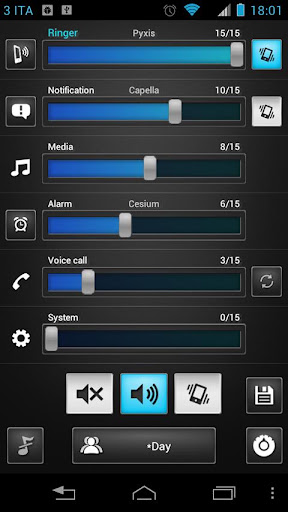
Volume Ace is a Volume Manager that allow you to fast and easily manage your device volume levels. You can create profiles and switch or select them straight from the widgets. Schedule profiles to apply automatically.

Features:
  • Profiles : Create your own volume presets. Now each profile can save his own Ringtone, Notification and Alarm tone.
  • Scheduler : Schedule profiles to apply automatically at the time and day you choose.
  • Plugs : Automatically switch to profiles of choice when plugging Earphones, Desk or Car.
  • Set Mode(From widget too): Silent, Vibration & Normal.
  • Cycle through profiles by tapping widget
  • Tone picker for Ringtone, Notification and Alarm
  • Sounds while adjusting volume (using the actual tone)
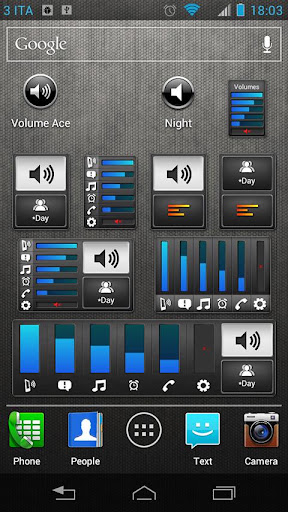
  • Widgets with volume levels and profiles
  • Custom colors/style to widgets and main screen (Default, blue, green, red, white, Vintage)
  • Volume Locker: Prevent ringer and/or media volume to be changed outside the app.
  • Bluetooth volume
  • Localization: En, Ko, Es, De, Fr, It, Da, Iw & He.
What's in this version : (Updated : Jan 19, 2013)
  • New design
  • Added a two new widgets ( 4x1 & 1x1 )
  • Restored the "old style" menu.
  • Code optimization
Required Android O/S : 1.6+

Screenshots :
 

Download : 325Kb APK

FilePush v1.4 APK


FilePush lets you transfer files to your Android device with only two clicks!


FilePush play.google.com.filepush
Officially supported is Windows Vista, Windows 7 and Windows 8.

With the Windows Client you can create context menu entries that appear when you right-click a file inside Windows Explorer. With a click on the "Push file to device" entry the file will appear a few seconds later as a download on your device.

Features:
  • Windows Client (Vista, 7, 8) with explorer integration
  • Support for multiple devices
  • Pushing files using WLAN - fast
  • Or using Google Drive - anywhere
  • Categories for different file types
  • Pushing clipboard contents to device
  • Open, move and delete files
  • Rich notifications
  • No registration (Google Account)
  • Uses Google Push service, is not always running in background
What's in this version : (Updated : Feb 3, 2013)
  • UI changes and improvements
  • Improved swipe-to-remove on list item
  • Various bugfixes
Required Android O/S : 2.2+

Cubes vs. Spheres v1.22 APK


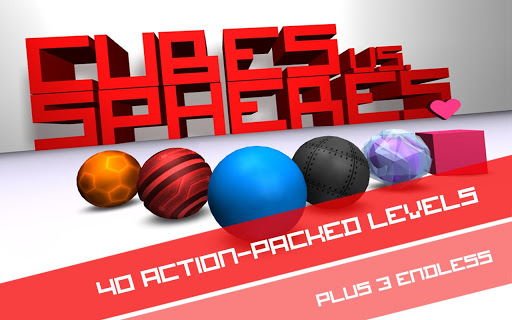
The insanely awesome and critically acclaimed Cubes vs. Spheres is now available on Android!


Cubes vs. Spheres play.google.com.CubesVsSpheres
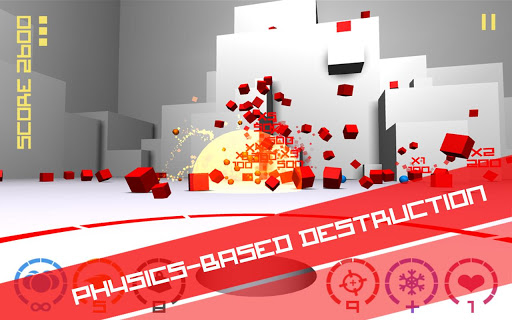
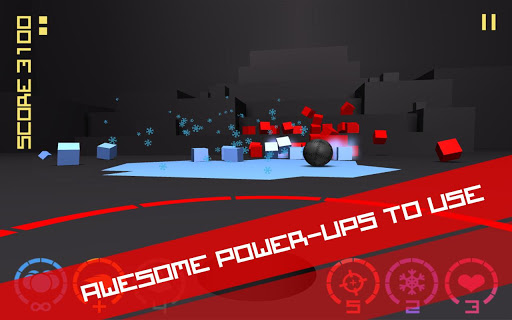
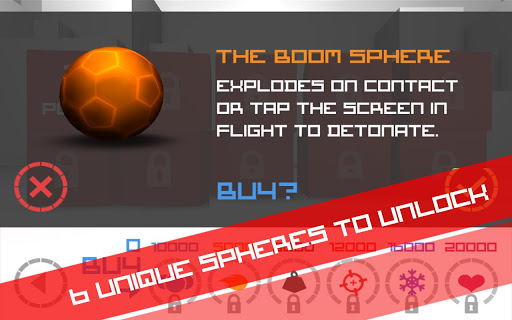
Step into the stylized geometric world of Cubes vs. Spheres, a 3D physics action game where you defend against waves of advancing Cubes by flicking powerful Spheres at them. Use 6 unique Spheres to explode, freeze, squash and confuse the Cubes. Can you survive the Cubocalypse?
Cubes vs. Spheres features anti-aliased 3D graphics, minimalist style for unprecedented numbers of enemies, massive explosions and fast-paced gameplay, utilizing physics and particle effects for the utmost in destructive satisfaction!

Features:
  • 6 unique upgrades, each with their own strategic advantages
  • Awesome chain reactions for big points and big explosions
  • Simple swipe and tilt controls
  • "The cubes are alive!" - Innovative enemy movement makes each play-through different
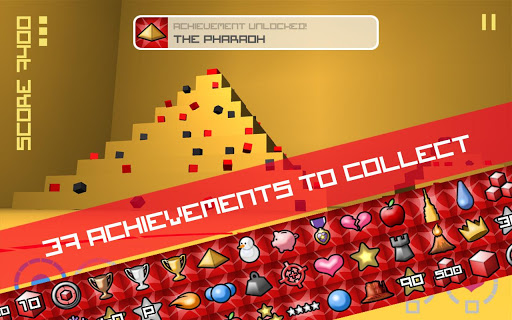
  • 40+ Achievements
  • Beautiful stylized, anti-aliased 3D graphics
  • A true physics game, where every explosion has an equal and opposite explosion
What's in this version : (Updated : Feb 4, 2013)
  • The audio button can now be clicked three times to toggle between music and sound effects, sound effects only, and silent
  • The functionality of the hardware/soft key back button throughout the game has been changed
Required Android O/S : 2.2+

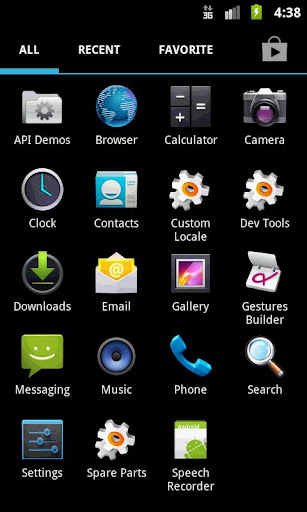
Screenshots :


Download : 10Mb APK

Vignette v2013.01.1 APK


Use more than 70 customisable filters and 50 frames in any combination to create many photo effects!


Vignette play.google.com.NewVignette
Use 76 customisable photo effects and 57 frames in any combination, to create retro/vintage styles, LOMO/Diana/Holga toy camera styles, Polaroid/instant camera styles and much more.
Plus cross-process, duotone, charcoal, tilt-shift, photo-booth, double-exposure effects and more.

Features:
  • Take pictures at your camera’s full resolution, even with effects (paid version only)
  • Use the flash and front-facing cameras on most devices
  • Self-timer, time-lapse and steady-shot modes
  • Digital 10× zoom
  • Store location data in pictures (geotag)
  • Use the volume rocker as a shutter button
  • Launch from the lock screen in Android 4.0+
  • Remote shutter with Sony Ericsson LiveView
  • Time- and date-stamp pictures
  • Rule-of-thirds and golden ratio composition guides
  •  Share pictures via third-party apps
Vignette does not require an internet connection to process pictures like some apps, and does not upload your pictures to a central server like Instagram. Your pictures do not leave your phone until you choose to share them

What's in this version : (Updated : Feb 3, 2013)
  • Fixed: Pictures lost when using certain frames with "grid" shooting mode.
  • New: Optical zoom on the Samsung Galaxy Camera.
  • Fixed: Vignette won't start if internal storage is full even if SD card is not.
  • Fixed: Vignette relies on separate gallery app.
  • Fixed: Zoom controls on Samsung Galaxy Camera don't work.
Required Android O/S : 1.6+

Screenshots :


Download : 216Kb APK

Love Gears v1.0.9 APK


Are you ready to hitch two love monsters together?


Love Gears play.google.com.lovegears
“Love Gears” is a unique and innovative puzzle game that would take your brain by storm. The game has been designed to be amazingly challenging and fun to play for those who are looking for sparkling new ways to challenge their intelligence, while they enjoy 54 different levels with colorful graphics and funny characters.

How to play:
Move gears ( cogs ) from one grid cell to another to hitch two madly in love monsters separated by a few unsorted gears! It all started when three monster kids asked their dad how he met their mother. It’s your mission to show them how their parents met by solving addictively fun puzzles. All you have to do is reconnect gears so that monster mom gets to monster dad! The fewer moves you do the more hearts you get! Be careful, in some levels gears move counter-clockwise which will lead monster mom to her death!

Features:
  • 54 different levels.
  • Innovative gear simulation gameplay.
  • Use your creativity and intelligence to master different levels.
  • Adorable funny characters (Monster Dad, Monster Mom and three Monster Kids)
  • Outstanding graphics and animation effects.
  • Amazing music and sound effects.
  • Reset Game button.
  • Level selection menu.
  • Progress is saved automatically.
  • Available in English language only.
Highly recommended for fans of puzzle games such as: Toobz, Unblock Me, U Connect, Trainyard, Blokus, Legor2, Geared, Glass Tower, Glow Puzzle.

Required Android O/S : 2.2+

Screenshots :


Download : 22Mb APK

runtastic PRO v3.6.1 APK


Your personal tracking app for running, biking and other sports activities !


runtastic PRO v3.5 play.google.com.pro2
The runtastic sportcoach uses the built-in GPS to map your activities and track your progress (distance, time, speed, calories, altitude, pace, etc.). Show your friends how active you are and share your success with them.
PRO Features :
  • Voice feedback during a workout: Get audio feedback for each mile or kilometer 
  • Live tracking: Show your friends and family where you are 
  • Cheering: Hear cheers and receive messages live from your friends and be motivated to go even further 
  • Heart rate support: Polar Wearlink+ Bluetooth and Zephyr heart rate monitor 
  • Split table with dynamic mile and kilometer split 
  • Calorie goal: Set a specific calorie goal and use the voice feedback to reach your workout goal 
  • Pace goal: Define your favorite pace 
  • Geotagging: Take pictures during a workout and see these pictures online at your map trace 
  • Weather and Temperature: Receive live weather information and save weather data automatically after a workout 
  • Prediction of sunset and sunrise 
Features :
  • Map your workouts in real-time with built-in GPS and monitor your progress (time, distance, speed, pace, calories, altitude, etc.) 
  • Personal workout diary and metrics 
  • Mapping: Detailed live mapping and historic mapping of previous sessions (Google maps) 
  • Dashboard configuration: Display preferred statistics 
  • Graphs: Get charts with altitude, pace, speed and heart rate information 
  • Performance analysis with lap times 
  • Enjoy your workouts with the integrated music player 
  • Set goals for time and distance 
  • Accurate calculation of elevation gain and loss 
  • Manual entry of workouts: Add treadmill, spinning and weightlifting workouts 
  • Monthly and overall metrics for distance, number of workouts, duration and calories 
  • Share your success on Facebook and Twitter 
You can save all your workouts at www.runtastic.com. Using the online community you’ll get further analysis, metrics and comparisons to your friends. Additionally, you can choose a training plan and track your body statistics. Share all your workouts easily with the facebook and twitter connect.
What's in this version: (Updated : Feb 4, 2013)
  • Features:
    • Search thousands of routes on a map or see nearby routes on a list. Use filters for distance and elevation.
    • Create routes on runtastic.com and sync them to our app. Keep control of your tracks, enjoy routes in the 3D Earth View or analyze your performance with our Colored Traces feature.
  • Improvements:
    • UI Improvements
  • Bugfixes:
    • session saving won't finish
    • Heart Rate Connection Problems
    • App doesn't start automatically while countdown
Required Android O/S : 2.1+ Lucky Patcher

Screenshots :


Download : 7.2Mb APK